
Event: Status
Events progress one-way through an event lifecycle which is represented by event status on Ulsav.
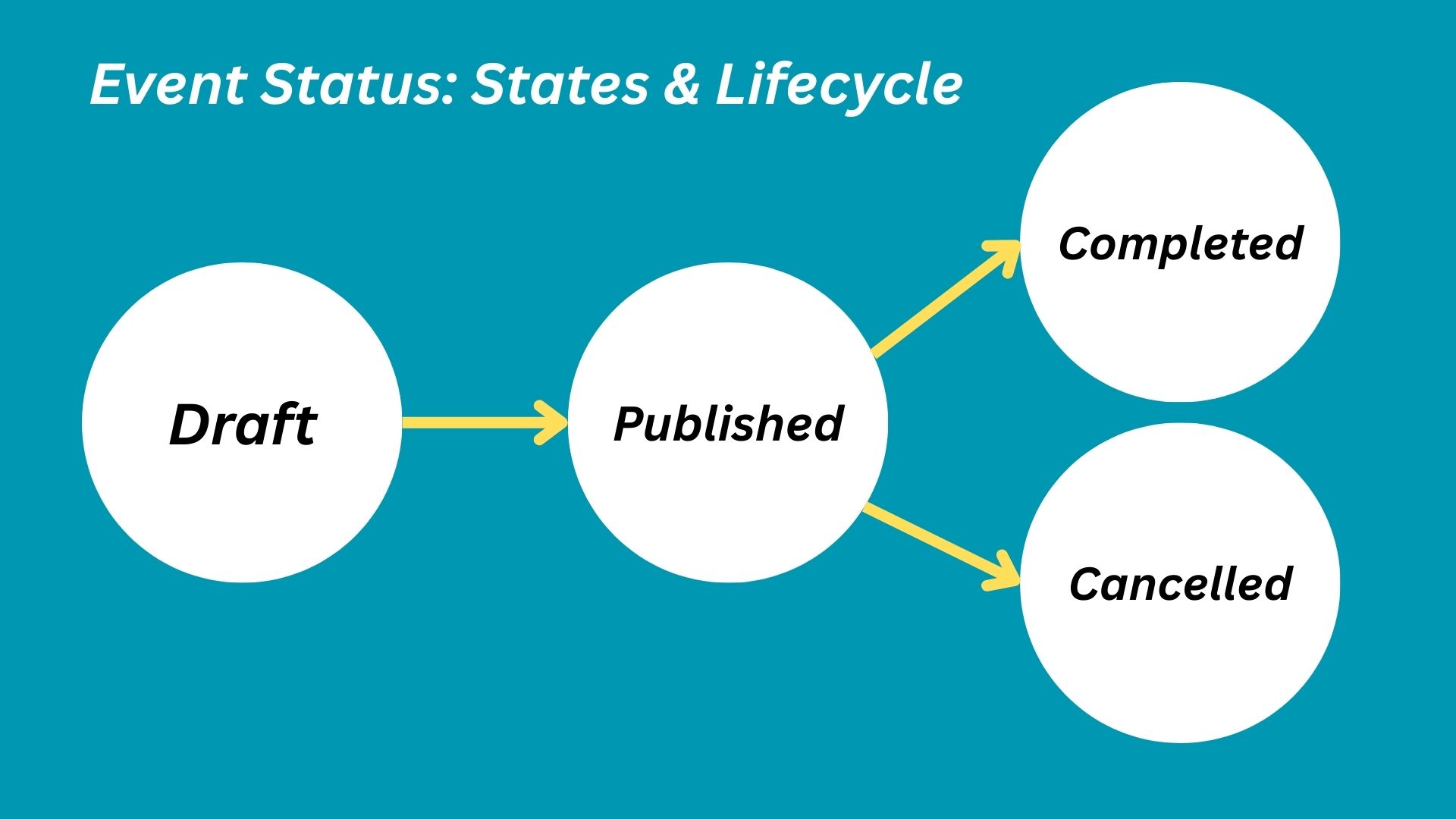
📝 Draft
Section titled “📝 Draft”When a new event is being created, the organization may not have the full details of the event or simply might not want to publish the event yet. In this case, the event can be saved as a draft, which can be later published.
- Event is not listed anywhere for participants or public to view.
- Only organization members with access can view or manage the event through the admin panel.
- Cannot have registrations (imported or otherwise)
- Can be deleted
📣 Published
Section titled “📣 Published”An organizer may publish an event (directly or from drafts) after entering all required information and when ready to make the event public for users to view and register.
To publish an event and accept registrations, the event should meet the following Event Publishing Rules.
Once an event is published, it cannot be deleted or set back to draft but only canceled or completed.
- Event is visible based on its visibility state.
- Users can register for the event, subject to visibility, restrictions, pass availability until the event has completed.
- The schedule start and end of the event cannot be changed without notifying the participants.
✅ Completed
Section titled “✅ Completed”A published event is automatically marked completed when the scheduled end of the event elapses. This is an automatically transitioned state. A completed event is permanently archived, and can no longer accept any registration, be canceled or deleted.
- Event shall remain visible based on its visibility state
- New passes cannot be created
- Cannot accept new registrations. Manually importing registrations shall be supported.
💔 Canceled
Section titled “💔 Canceled”The organizer needs to cancel a published event if the event is not happening. This effectively also cancels all passes and registrations of the event. Cancellation is a manual irreversible process that an organization admin does, and must be done with great caution.
- Event shall remain visible based on its visibility state
- Cancellation notice shall be shown to registered participants as well as on the event page based on visibility.
- New passes or registrations cannot be created or imported.